

When something breaks, silence feels worse than the problem itself. Customers can forgive an outage, but they find it harder to forgive being left guessing. Here is how to communicate while you fix it.
Acknowledge it quickly
You do not need the cause. A short first message saying you know about the problem and are looking into it is enough, and it stops customers wondering whether you have noticed.
Be specific about the impact
- Say which parts are affected, and which are not.
- Say what customers are likely to see.
- Say what they can do in the meantime.
Avoid blame and jargon
Customers do not need to know which supplier or server is at fault. Keep to what it means for them. Do not guess at a cause until you are sure.
Promise only what you can deliver
Do not promise a fix time you cannot meet. It is better to say when you will next update, such as "within the hour", and then do it.
A simple example
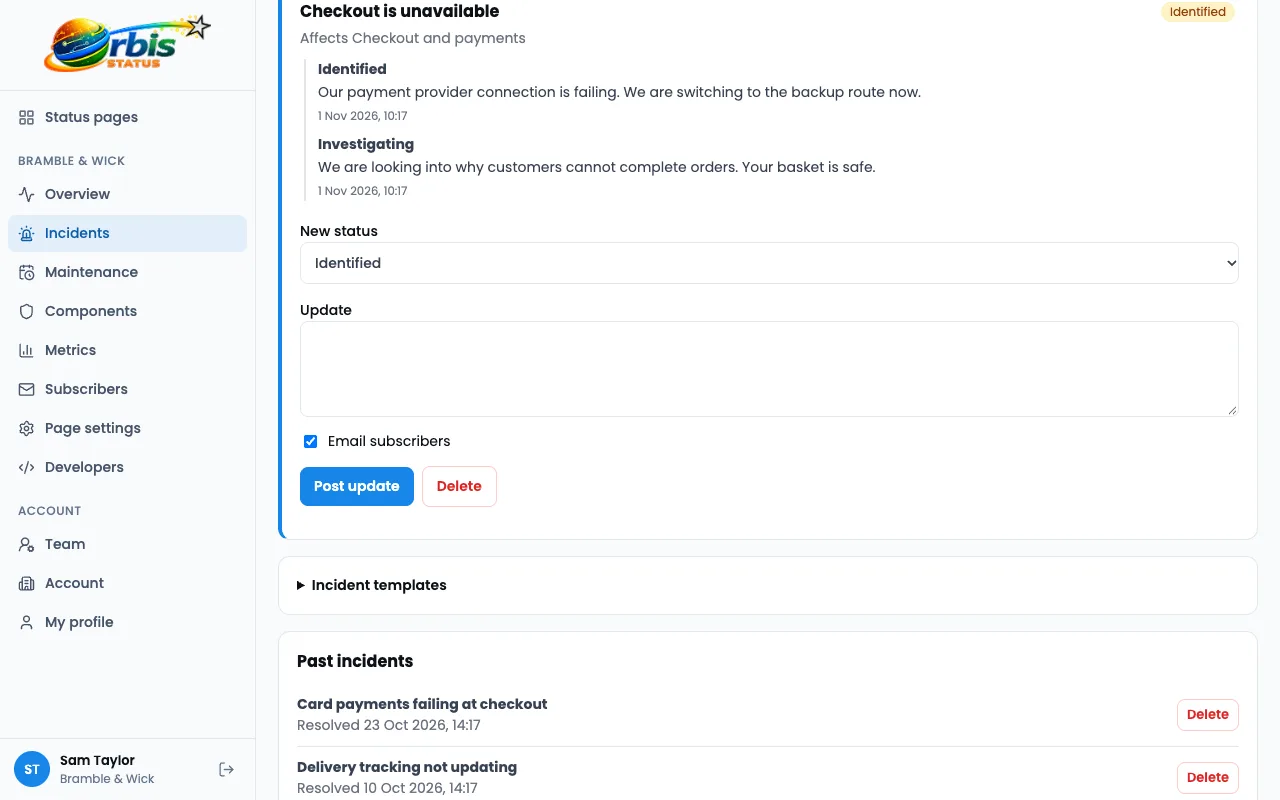
- First message: "Some customers cannot place orders. We are looking into it and will update you within 30 minutes."
- Next: "We have found the cause and are working on a fix. Orders already placed are not affected."
- Fixed: "Ordering is working again. We are sorry for the trouble."
Tell people where to look
Link to your status page from your website, your support emails and your out-of-office replies. Encourage customers to subscribe by email, so you can reach them without them having to ask. Fewer people need to contact support when they can see for themselves. See how to reduce support tickets.
Follow up afterwards
Once it is fixed, resolve the incident and say what you will do to stop it happening again. A short, honest wrap-up builds more trust than pretending nothing happened. Read how to write an incident update.
Try Orbis Status for free
- Free subdomain or domain
- Email, Slack and Teams updates
- No card required
Frequently asked questions
Should I wait until I know the cause?
No. Acknowledge the problem as soon as you know about it, then add detail as you learn more.
How do I reach customers who do not visit the page?
Encourage them to subscribe by email. Subscribers are told about incidents and maintenance. The page also has an Atom feed.