

A status page for SaaS and IT companies
Your customers expect a status page. Orbis Status gives you one with a REST API and webhooks, so your existing tools can keep it up to date.
What technical teams want from a status page
You already monitor your systems. What is missing is a trustworthy place to tell customers what you found.
- Your monitoring knows about a fault, but customers do not.
- Support spends the first hour of an incident answering "is it down?".
- Updates are scattered across social posts, emails and a banner on the app.
- There is no public history of incidents and uptime to point to.

How Orbis Status fits a technical team
It does not do monitoring. It is the public face for whatever monitoring you already have.
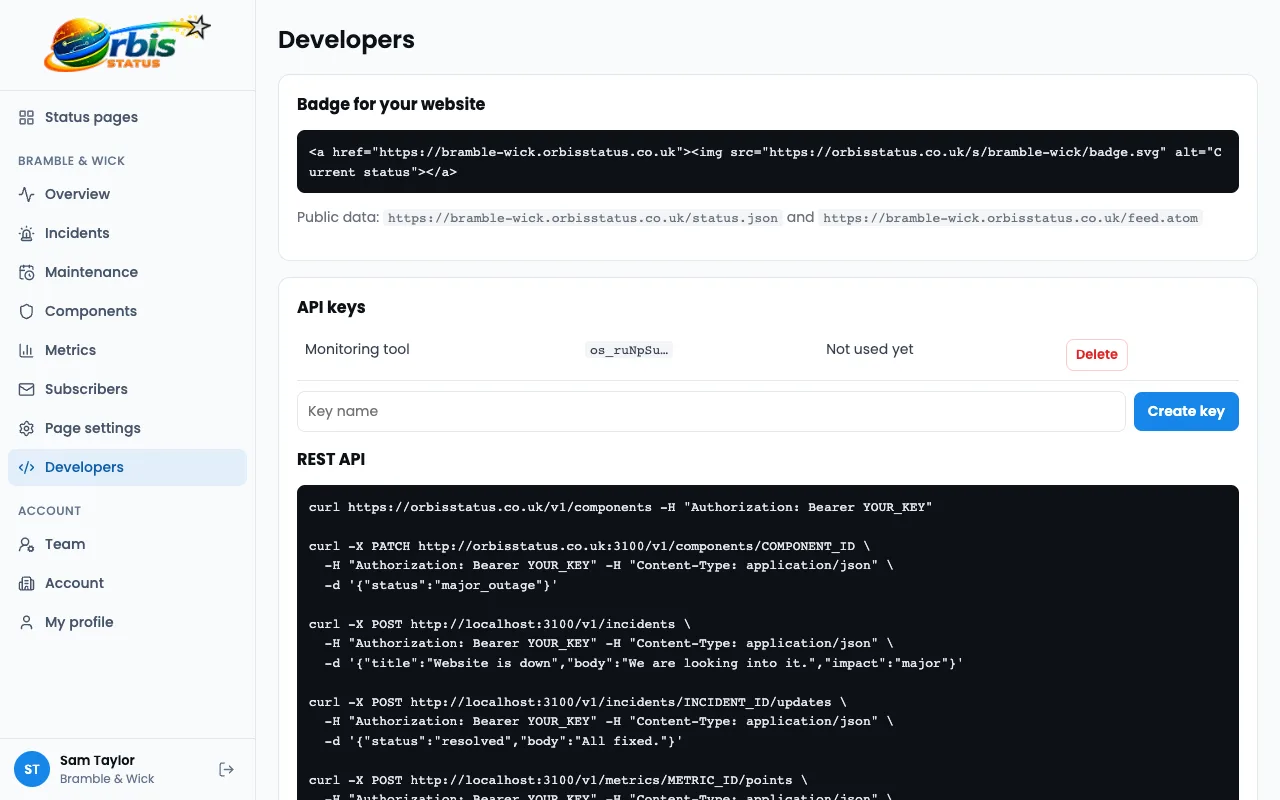
REST API and API keys
Read and set component status, create and update incidents. See the developer tools.
Signed webhooks
Receive HMAC SHA-256 signed calls on incident and component changes.
Custom domain with automatic HTTPS
Use status.yourcompany.com by adding a CNAME. The certificate is set up for you.
90-day uptime bars
Each component shows a 90-day bar and a percentage worked out from its status history. See how components work.
Feed, JSON and badge
An Atom feed, a public status.json and an SVG badge for your docs or app.
Worked example: an API latency incident
A fictional developer tools company, Parcelforge, sees slow responses from its public API.
Monitoring flags the problem
Its own alerting calls the REST API and sets the API component to Degraded performance.
An engineer adds context
They open an incident, set impact to Minor and describe what customers might see.
Updates follow the work
The incident moves through Identified and Monitoring, with notes at each step.
Resolution is automatic in the record
Resolving the incident returns the component to Operational and the history page keeps the timeline.
This is an illustration of how the features fit together, not a real customer story.
Frequently asked questions
Does it import from my monitoring tool?
No. There are no component imports or one-click integrations. Use the REST API or webhooks from your own tooling.
Are there metrics graphs?
Yes. You can show public metrics charts on your page, fed through the REST API, as well as 90-day uptime bars and percentages for each component. Metric counts depend on the plan.
Is there an SLA?
No. Orbis Status does not offer an SLA guarantee.