

Incident communication made simple
Good incident updates are short, honest and regular. Orbis Status gives your team a clear structure for them and a timeline customers can follow.
Why incident updates go wrong
The people fixing the problem are the same people expected to explain it, and that is hard under pressure.
- The first update is late because nobody knows what to write.
- Updates contradict each other across email, social posts and phone calls.
- Customers cannot tell whether the problem is new, being worked on or finished.
- The wording from the last incident is lost, so each one starts from scratch.

How Orbis Status structures an incident
Each incident has a status, an impact and a timeline of updates, and it can change the components it affects.
Four stages
Move an incident through Investigating, Identified, Monitoring and Resolved, adding a note each time. See how incidents work.
Impact levels
Mark an incident as None, Minor, Major or Critical so customers know how serious it is.
Component status
An incident can set the status of affected components. Resolving it puts them back to Operational. See how components work.
Incident templates
Save wording for common problems and reuse it, so the first update takes a minute, not twenty.
Emails to subscribers
Subscribers are told about new incidents and updates, and each email has a one-click unsubscribe. See how subscribers work.
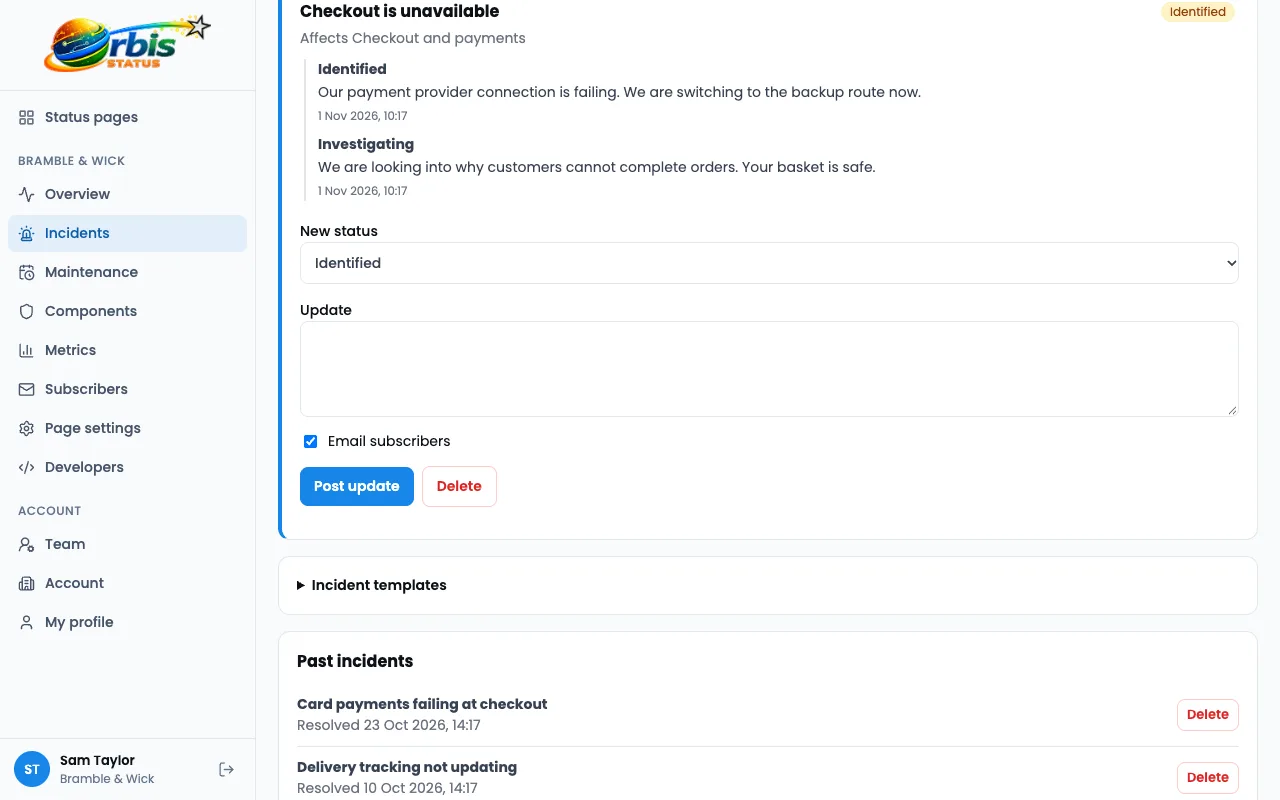
Worked example: an email delivery delay
A fictional newsletter tool, Quillpost, finds that sends are queuing for a few minutes.
Open the incident from a template
The on-call person picks "Delayed sends", sets the impact to Minor and posts Investigating.
Mark the component
Sending is set to Degraded performance, so the bar and status on the page change at once.
Update as things change
Identified and Monitoring updates explain the cause in plain words and what customers might notice.
Resolve and close
Resolving the incident returns Sending to Operational and sends the final email to subscribers.
This is an illustration of how the features fit together, not a real customer story.
Frequently asked questions
Who can post updates?
Anyone on your team with access. Roles are Owner, Admin and Member, and each plan includes a set number of team members.
Can I update the page from another tool?
Yes. The REST API can create and update incidents, so your own tools can post for you. Orbis Status does not detect problems on its own.
Are old incidents kept?
Yes. They appear on the incident history page with their full timeline of updates.